For worship teams
Every chart, every key, every Sunday.
Psalmset is where your worship team keeps its songs and service plans. Every musician sees the chart in their own key and capo, vocalists get just the lyrics, and the plan reaches your AV team through Planning Center.
Works in any browser on phones, tablets and computers. Install it like an app.
Worship leaders
Build the plan, pick the keys, ask the band, and send it all to Planning Center.
Musicians
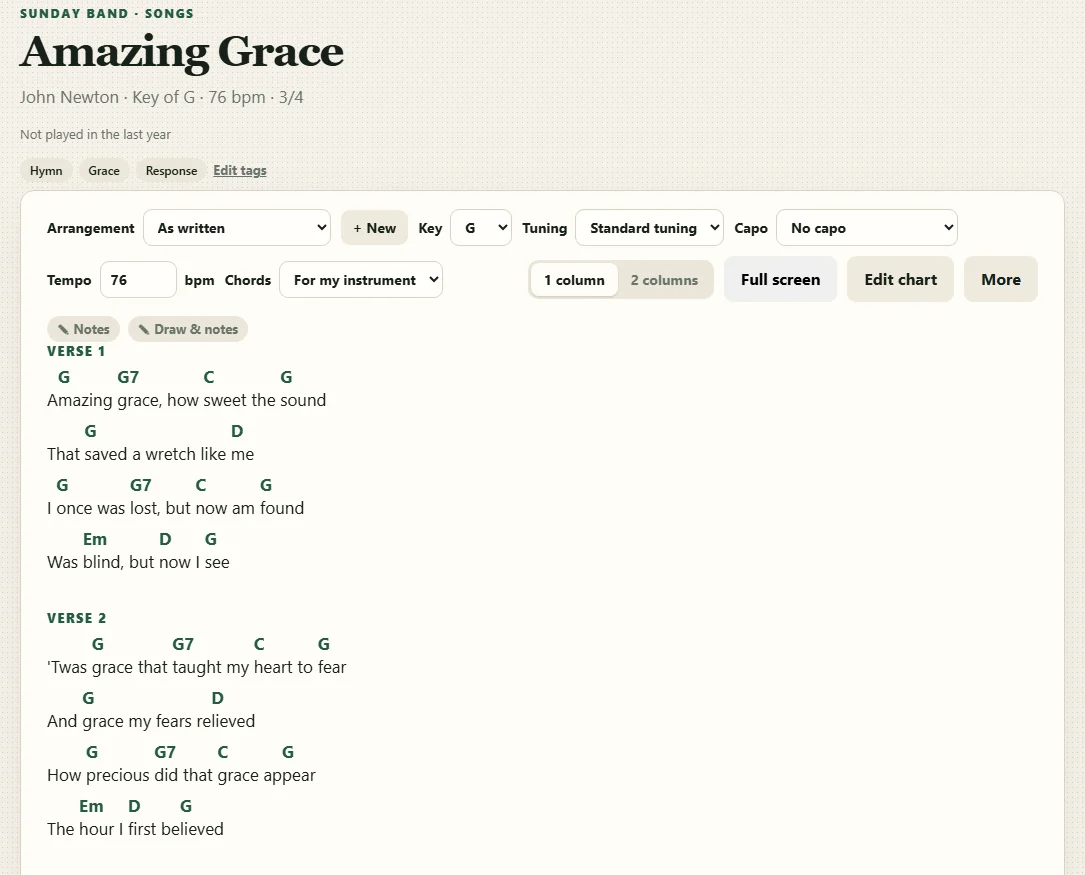
Your instrument, your key, your capo. Notes and markings stay on your charts.
Vocalists
Clean lyric sheets with no chords to read around.
AV and tech
Keep using Planning Center and ProPresenter. The plan shows up there.
A look inside
Plans
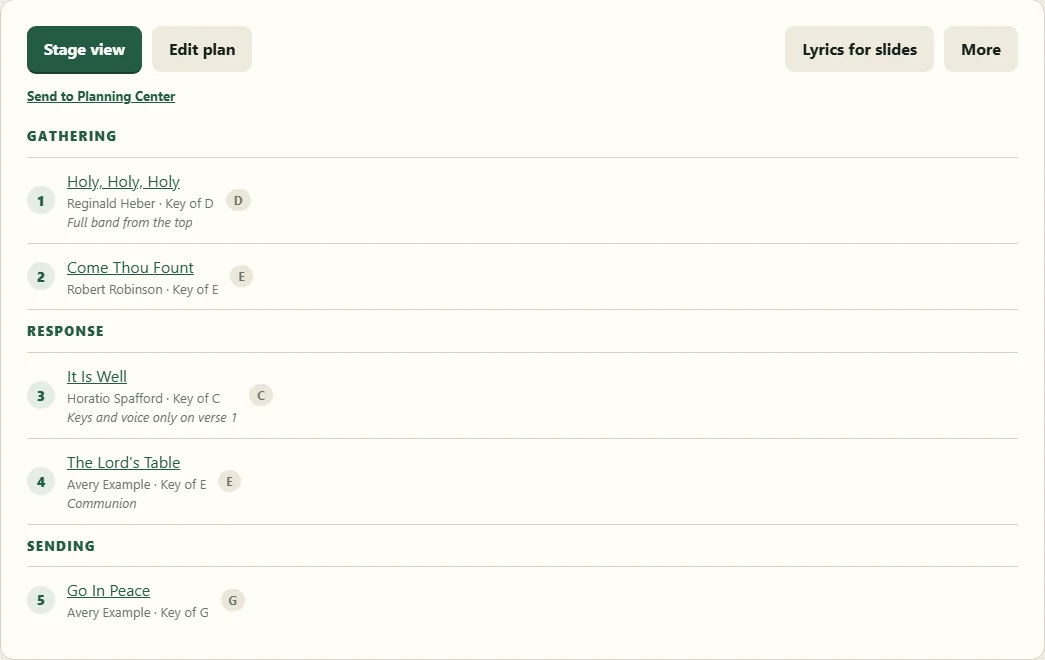
Plan the whole service in one place
Lay out the order with headings like Gathering and Response, set each song's key, and leave notes for the band. Everyone on the plan is asked to serve and can accept or say they can't make it.
- Start from a template: the layout and band carry over, and you choose the songs
- Messages to the band, by email or right on the stage screens
- Team members mark the dates they're away; reminders go out before they play
- Song history shows when each song was last played
Stage view
Their own key, without changing anyone else's
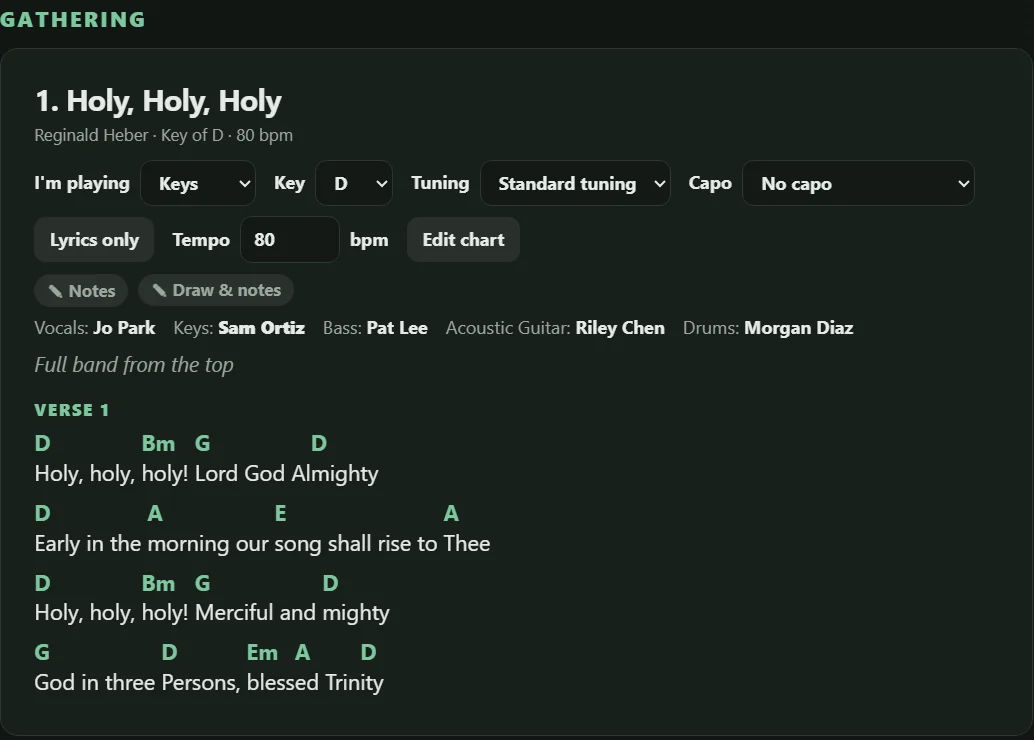
The stage view puts the whole set on one screen. Each player picks their instrument, key, capo and tuning, and Psalmset rewrites every chord for them. The team's key stays the same for everyone else.
- Larger text, two columns and full screen for the music stand
- Draw on a chart or pin a note to a line
- Plans you've opened still work when the church Wi-Fi doesn't
- Dark mode for a dim stage
For vocalists
Just the words
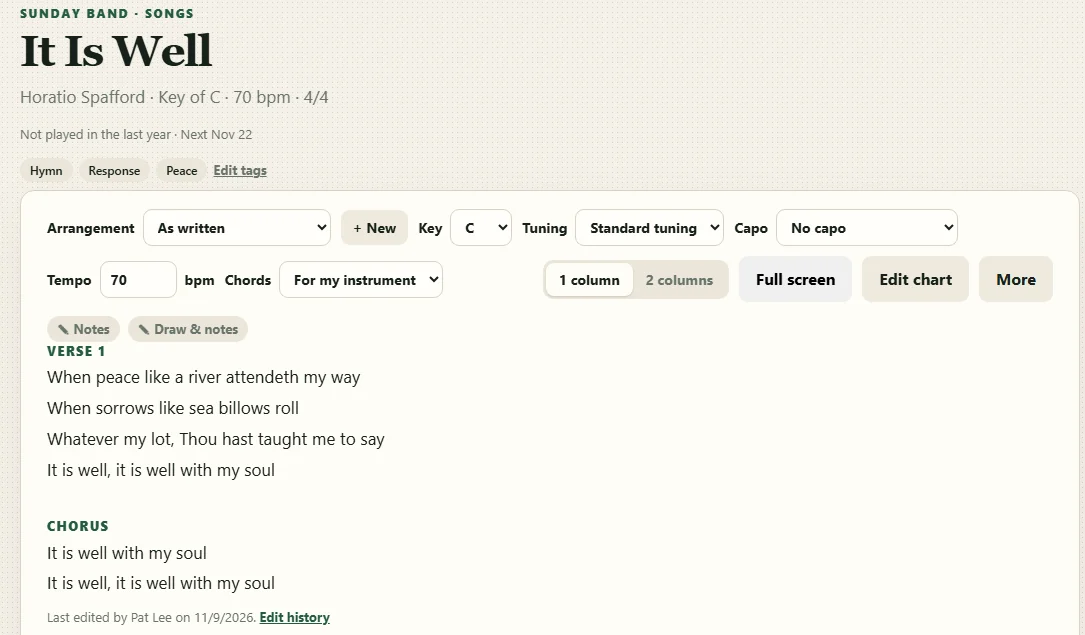
Switch a chart to lyrics only and the chords disappear, leaving a clean sheet to sing from. Copy a song's lyrics in one step, ready to paste into slides.
Song suggestions
Help choosing the set
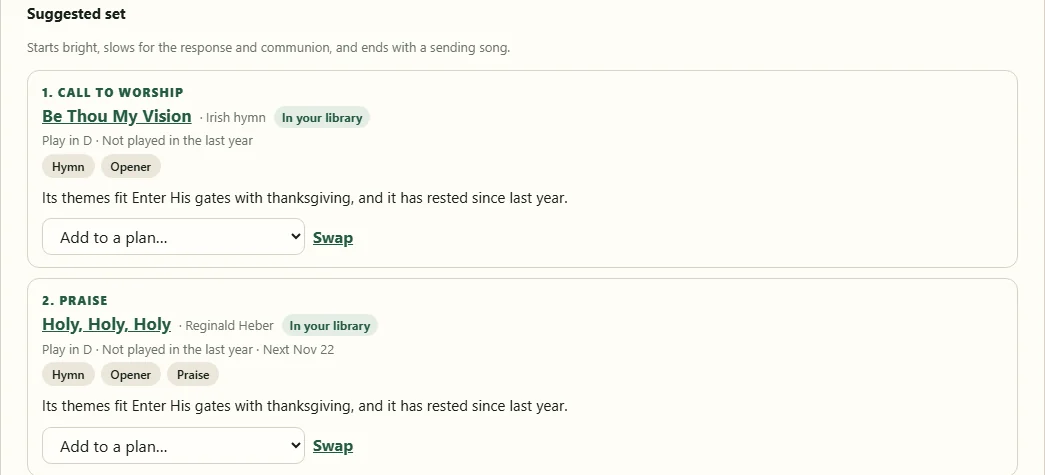
Give it a scripture, a season or the sermon title, and Psalmset suggests a set: songs from your library first, in a sensible order, with a reason for each. It can also point you to well-known songs you don't have yet.
- Prefer or avoid songs by your own tags, like Opener or Communion
- Your team's rules, such as one new song a month
- Swap any song you don't like, or add it straight to a plan
Your songs, in a few minutes
-
1
Bring in your charts
Upload the PDF charts you already have, import from Planning Center, or paste a chart in. Psalmset turns each one into a chart that can change key.
-
2
Invite your team
Send one link. Each person adds their instruments, and leaders can set them too.
-
3
Plan Sunday
Build the plan, ask the band, and everyone has the charts on their own device.
Works with Planning Center
Your worship team plans here. Your AV team doesn't have to change a thing.
Connect your Planning Center account and Psalmset sends plans and charts to Planning Center Services. Your AV team keeps using Planning Center and ProPresenter the way they do now.
- Send a plan with one tap, or have changes sent automatically
- Songs you've added through SongSelect in Planning Center import in one step
- Songs added in Psalmset are created in Planning Center when their plan is sent
You don't need Planning Center to use Psalmset; it's there if your church already uses it.
Questions
What devices does it work on?
Any phone, tablet or computer with a modern browser: iPhone, iPad, Android, Windows, Mac and Chromebook. You can install it to your home screen or desktop so it opens like an app.
Does it work without internet?
Yes. Plans and charts you've opened are kept on your device, so the stage view keeps working if the Wi-Fi drops during the service.
Where do the charts come from?
From your team. Upload the PDF charts you already have, paste them in, or import songs from Planning Center, including ones added there through SongSelect. Psalmset doesn't sell charts, so keep using your CCLI or other licenses as you do now.
Do we need Planning Center?
No. Psalmset works on its own. If your church already uses Planning Center Services, connect it to keep the two in sync.
Who can change things?
Admins and leaders build plans and manage the team. Members see their plans, reply when asked to serve, and choose their own key, capo and notes without changing anyone else's charts.
Get your team on the same page
Create your team, invite your musicians and add your first song in a few minutes.
Create your team